The easiest and simplest way to
recover lost data!
|

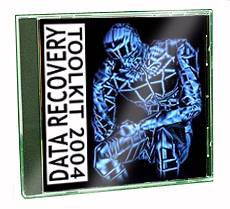
Data Recovery 2004 Toolkit
CD
Windows 95, 98, Me, 2000, NT & XP |
Recover deleted files and
lost data.
Some of the finest Data Recovery Software
available . . . anywhere - at an
amazing price!
If you are
facing a data loss emergency, then you've definitely come to the right
place!
The world's
easiest-to-use data recovery technology is now available to recover your
storage media.
The only CD your ever
need.
Restoration
is an easy to use and straight forward tool to undelete
files that were removed from the recycle bin or directly deleted from within
Windows. Upon start, you can scan for all files that may be recovered and also
limit the results by entering a search term or extension. In addition, it also
provides the option to wipe the found files beyond simple recovery. The program
is small and standalone, it does not require installation and can also run from
a Floppy disk. Restoration works with FAT and NTFS as well as digital cameras
cards.
Zero Assumption Digital Image Recovery
is an easy to use data recovery tool for the recovery of
accidentally delete image files on removable media disks (Compact Flash,
SmartMedia, Memory Sticks etc.). The interface is very easy to use, just select
the device that contains the images that need to be recovered and specify the
folder to save the images to. Zero Assumption Digital Image Recovery works with
images that have been deleted in a simple manner. If the disk has been
formatted or files have been wiped securely, a recovery is not possible.
Supported formats are TIFF, Exif, JPEG and GIF.
PC Inspector Smart Recovery
is a data recovery program for Flash Card, Smart Media,
SONY Memory Stick, IBM Micro Drive, Multimedia Card, Secure Digital Card(SD) or
any other data device for digital cameras. It enables you to recover
accidentally deleted or formatted pictures, videos or sound files from the
selected media. The program also offers a mode that enables you to check the
media for errors.
Disk
Investigator
Helps
you to discover all that is hidden on your computer hard disk. The program can
display the true drive contents by bypassing the operating system and directly
reading the raw drive sectors. You can view and search raw directories, files,
clusters, and system sectors and also verify the effectiveness of file and disk
wiping programs. The directory mode allows you to browse the file system in a
file structure, the raw mode displays a sector-by-sector view (for advanced
users).

 FREE!!!! -
DrvClonerXP
FREE!!!! -
DrvClonerXP
Copies an entire drive partition sector-by-sector,
byte-for-byte directly to another drive partition, producing an exact
reproduction (clone) of your original partition. No intermediate file is
created in the process. Unlike a disk imaging tool, it does not save the image
to disk (for backup or other purpose) but applies it directly to the selected
partition. Use it, if you want to create a clone of your drive for whatever
reason, (new hard drive etc.)
|